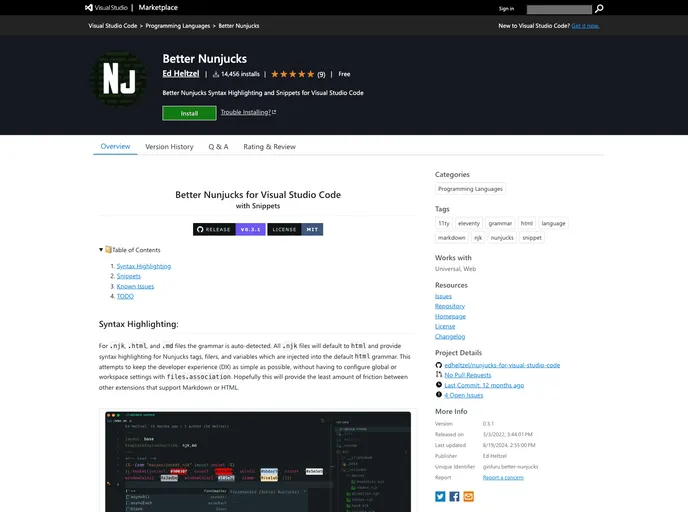
Overview
As a web developer, finding the right tools to streamline your workflow is essential. The recent update with version 0.3.2 of the Nunjucks snippets extension stands out for its enhanced integration with Nunjucks, HTML, and Markdown files. It aims to simplify the developer experience by auto-detecting grammar without the need for intricate configurations. Whether you’re working with .njk, .html, or .md files, this extension promises seamless compatibility, making coding smoother and more efficient.
The extension’s design takes user experience into account, providing tailored syntax highlighting and support for a variety of file types. It serves as a powerful ally in web development projects, especially for those who frequently work with templating languages. Here are some of its notable features that caught my attention.
Features
- Auto-Detection of Grammar: Automatically detects and applies the correct grammar for .njk, .html, and .md files, saving time on manual configurations.
- Nunjucks Syntax Highlighting: Offers syntax highlighting for Nunjucks tags, filters, and variables, enhancing code readability and reducing errors.
- Multiple File Extension Support: Full compatibility with .njk, .html, and .md files, allowing flexibility regardless of the project type.
- Frontmatter Support: Conveniently supports frontmatter in Nunjucks, making it easier to manage metadata in Markdown files.
- Incorporated Snippets: Combines snippets from various sources, ensuring a comprehensive set of built-ins for Nunjucks without conflict issues.
- Customizable Snippet Management: By integrating with Control Snippets, users can enable or disable built-in or manually installed snippets according to their needs.
- Emmet Support Integration: Enables Emmet support for Nunjucks grammar, enhancing productivity for developers who rely on this feature for quick coding.
- User-Friendly Experience: Designed with a focus on minimizing friction among other extensions that support Markdown or HTML, ensuring a smoother workflow.