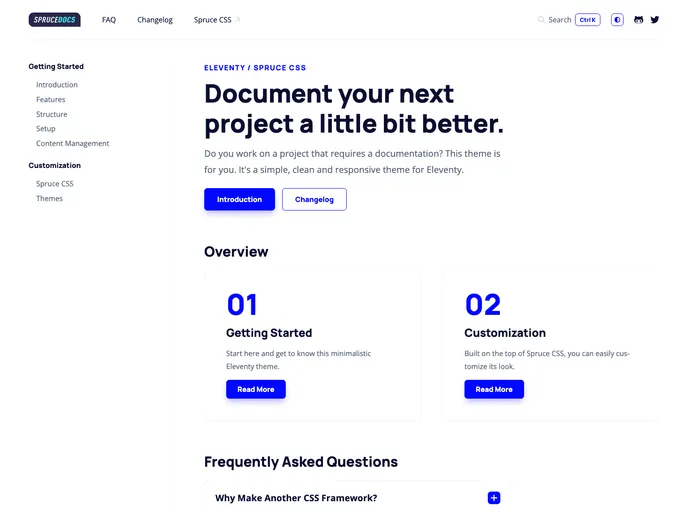
A simple documentation template made with Eleventy and Spruce CSS.
The Spruce Docs Elventy theme is a self-hosted documentation template built on Eleventy, a static site generator. It offers a simple and customizable structure with breadcrumb navigation, HTML minification, anchor headings, table of content, FAQ template, Changelog template, static search integration, code highlighting, RTL support, and dark theme mode. The theme also includes a custom CSS framework called Spruce CSS.
To install the Spruce Docs Elventy theme, follow these steps:
git clone [repository-url]
npm install
npm run dev
This command will also watch for changes in the code.
Before going live, compress the Sass files using the production script:
npm run build
Additional npm scripts are available in the package.json file for other helpful tasks.
The Spruce Docs Elventy theme is a self-hosted documentation template built on Eleventy. It offers a simple structure and a wide range of features for creating documentation websites. With its custom CSS framework, Spruce CSS, and support for RTL and dark theme mode, the theme provides flexibility for customization. The theme also includes useful templates, such as FAQ and Changelog, as well as features like static search integration and code highlighting. Overall, the Spruce Docs Elventy theme is a comprehensive solution for creating professional and user-friendly documentation websites.